
What Is a Backdoor in Cybersecurity? | How It Works, Risks, and Prevention
Introduction
Imagine coming home one day and finding a second key hidden under your doormat a key you never placed there. Anyone who knows about it can enter your house anytime, without breaking a window or picking a lock. In the digital world, that hidden key is called a backdoor.
A backdoor is one of the most dangerous threats in cybersecurity because it is designed to be silent. Unlike ransomware that announces itself, or viruses that slow down your computer, a backdoor’s entire purpose is to stay invisible while giving an attacker secret access to your system. Whether you are a business owner, a developer, or an everyday internet user, understanding what a backdoor is — and how it works — is essential in 2026.
In this guide, we will explain everything you need to know: what a backdoor is, how backdoor attacks work, the different types, famous real-world examples, and most importantly, how to protect yourself.
What Is a Backdoor?
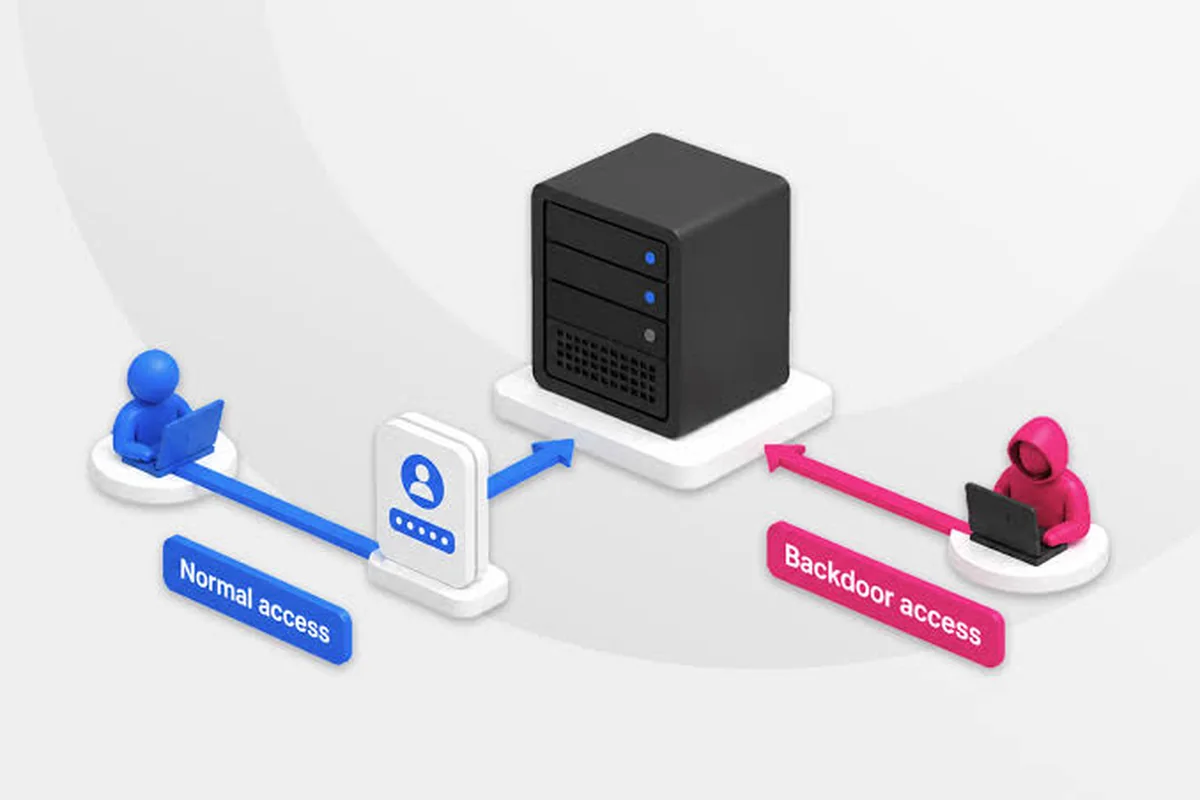
A backdoor is a hidden method of bypassing normal authentication or encryption in a computer system, network, or software application. It allows unauthorized users usually cybercriminals or hackers to gain remote access to a system without the owner’s knowledge.
In simple words, a backdoor is a secret entrance into a device, program, or network. While the “front door” requires a username, password, or other verification, the backdoor lets an attacker walk straight in.
Backdoors can be:
- Intentionally created by software developers (for testing or maintenance) and forgotten or abused later
- Secretly planted by attackers after they compromise a system
- Built into hardware or firmware by manufacturers (sometimes deliberately, sometimes due to poor security design)
Once installed, a backdoor typically allows the attacker to:
- Steal sensitive data (passwords, financial information, personal files)
- Install additional malware
- Monitor user activity and keystrokes
- Use the infected machine as part of a botnet
- Move laterally into other connected systems
How Does a Backdoor Work?
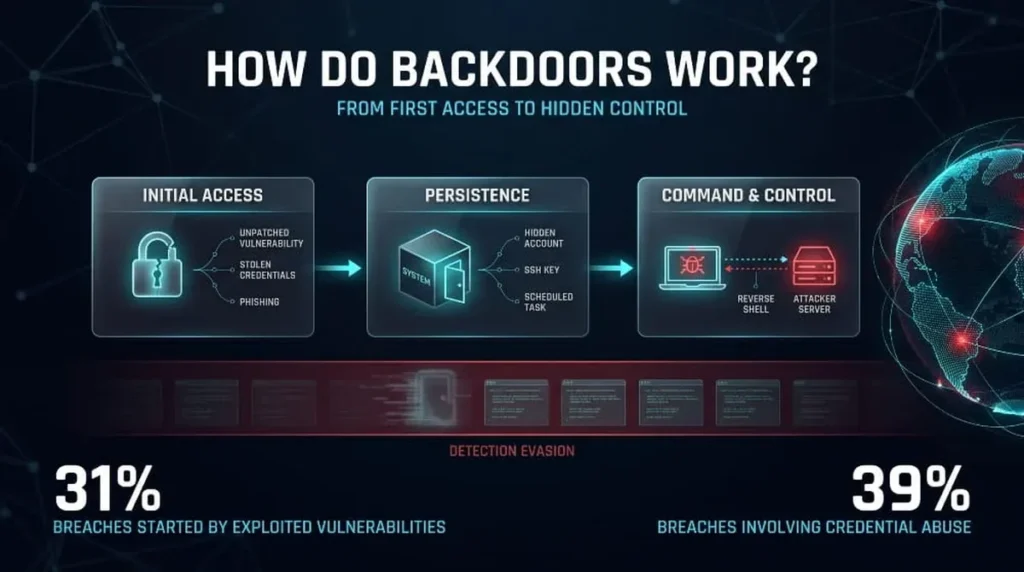
The working mechanism of a backdoor depends on how it was created, but the general process follows a predictable pattern:
1. Installation or Exploitation
The backdoor enters a system through one of several routes:
- Software vulnerabilities: Attackers exploit unpatched bugs in operating systems or applications
- Malicious attachments: Phishing emails containing infected files or links
- Trojan horses: Legitimate-looking software that secretly carries the backdoor
- Supply chain attacks: Backdoors inserted into software or hardware during manufacturing or distribution
- Brute force attacks: Weak or default passwords allow attackers to install backdoors manually
2. Establishing a Connection
After installation, the backdoor opens a communication channel between the infected system and the attacker’s command-and-control (C2) server. This channel can be disguised as normal traffic — for example, by using common ports like HTTP (80) or HTTPS (443) making it very hard to detect with basic firewall rules.
3. Maintaining Persistence
A well-designed backdoor ensures it survives system reboots, software updates, and even some antivirus scans. It may:
- Modify registry entries or startup scripts
- Create hidden user accounts with administrator privileges
- Embed itself deep in the operating system kernel or firmware
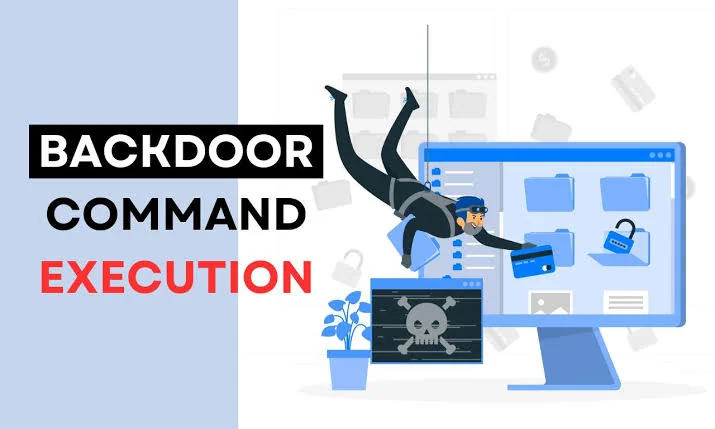
4. Executing Commands
Once persistent access is established, the attacker can send commands remotely — stealing data, downloading more malware, recording keystrokes, or turning on the webcam and microphone.
Types of Backdoors
Backdoors come in many forms. Here are the most common types every user and administrator should know:
1. Software Backdoors
These are hidden access points built into applications or operating systems. Sometimes developers intentionally leave them for debugging purposes a risky practice called a “maintenance hook.” If discovered by attackers, these hooks become open doors.
2. Hardware Backdoors
A hardware backdoor is physically embedded in a device’s components processors, routers, or motherboards. Because they exist below the software layer, hardware backdoors are extremely difficult to detect and remove. The famous Bloomberg report on alleged backdoors in server hardware chips remains one of the most discussed examples of this threat.
3. Rootkits
A rootkit is a sophisticated type of backdoor designed to hide its own existence. It buries itself deep inside the operating system, often at the kernel level, giving attackers full (“root”) control while keeping antivirus software blind to its presence.
4. Web Shells
Web shells are backdoors planted on web servers, often written in languages like PHP, ASP, or JSP. Attackers who compromise a website upload a web shell file, which then gives them a browser-based control panel to manipulate the server, steal databases, or deface the site.
5. Cryptographic Backdoors
These are deliberate weaknesses built into encryption systems. A government agency or manufacturer might design an encryption algorithm with a secret master key allowing them (or anyone who discovers it) to decrypt protected communications.
6. Trojans Disguised as Backdoors
Many trojans function as backdoors. Programs that appear to be games, free tools, or cracked software quietly open remote access for attackers. This is one of the most common ways everyday users get infected.
Real-World Backdoor Examples
Backdoors are not just theoretical. Some of the biggest security incidents in history involved them:
- SolarWinds (2020): Attackers inserted a backdoor into the software updates of SolarWinds’ Orion platform, a network monitoring tool used by thousands of organizations including U.S. government agencies. It became one of the most devastating supply chain attacks ever recorded.
- DoublePulsar: A backdoor leaked from the NSA’s toolset, used by the WannaCry ransomware to spread rapidly across the globe in 2017, infecting hundreds of thousands of computers.
- Juniper Networks (2015): A mysterious unauthorized backdoor was discovered in the company’s firewall operating system, allowing attackers to decrypt VPN traffic.
- Borland/Clipper and Dual_EC_DRBG cases: These raised long-standing concerns about government-mandated backdoors in encryption standards.
These examples show that no organization not even governments and tech giants is immune.
How to Detect a Backdoor
Detecting a backdoor is challenging, but not impossible. Watch for these warning signs:
Unusual Network Activity
Unexpected outgoing connections, especially to unknown foreign IP addresses or unusual ports, can indicate a backdoor communicating with a C2 server.
Slow System Performance
Backdoors consume system resources. If your computer suddenly slows down, overheats, or fans run constantly without reason, investigate.
Unknown Accounts or Processes
Check for user accounts you did not create, or processes with strange names consuming high CPU or memory.
Changed System Settings
Firewall rules disabled without your action, antivirus being turned off, or unknown programs added to startup lists are classic red flags.
Antivirus Alerts
Modern endpoint protection tools can detect known backdoor signatures and behavioral anomalies.
Tools that help: Use network monitoring tools (Wireshark), process analyzers (Process Explorer), integrity checkers, and reputable antivirus/EDR solutions. For servers, regular file integrity monitoring can catch unauthorized changes.
How to Protect Against Backdoors
Prevention is far better than removal. Follow these best practices:
1. Keep Software Updated
Most backdoors enter through known vulnerabilities. Enable automatic updates for your operating system, applications, and especially your router’s firmware.
2. Use Strong Authentication
Enable multi-factor authentication (MFA) everywhere possible. Change default passwords on routers, IoT devices, and admin panels immediately.
3. Download Only from Trusted Sources
Avoid cracked software, pirated tools, and unverified downloads the most common carriers of backdoor trojans.
4. Be Careful with Email Attachments
Phishing remains a top delivery method. Never open suspicious attachments, even if they appear to come from someone you know.
5. Use a Firewall and Antivirus
A properly configured firewall blocks unauthorized outbound connections, while modern antivirus/EDR tools detect behavioral signs of backdoors.
6. Monitor Network Traffic
Businesses should use intrusion detection systems (IDS) and regularly audit logs for unusual activity.
7. Vet Your Supply Chain
Organizations must audit third-party software and hardware vendors. The SolarWinds attack proved that one compromised vendor can infect thousands of customers.
8. Regular Backups
If a backdoor leads to a full compromise, clean backups ensure you can rebuild your system without paying ransom or losing data.
Backdoor vs. Virus vs. Trojan: What’s the Difference?
Many people confuse these terms. Here’s a simple breakdown:
- Virus: Replicates itself by attaching to legitimate files and spreading to other systems. Its goal is usually disruption or damage.
- Trojan: Disguises itself as legitimate software. Its goal is trickery and many trojans install backdoors.
- Backdoor: Provides secret remote access. Its goal is stealthy, persistent control.
A trojan is often the delivery method, while the backdoor is the hidden access point it installs.
The Legal and Ethical Debate: Should Backdoors Exist?
There is an ongoing global debate about “lawful access” backdoors. Governments argue that tech companies should build backdoors into encrypted systems so law enforcement can investigate crimes. Security experts overwhelmingly oppose this, arguing that any backdoor, no matter who it is built for, can be discovered and abused by criminals or hostile nations. As the famous saying in cybersecurity goes: “There is no such thing as a backdoor that only good guys can use.”
(FAQs)
What is a backdoor in simple words?
A backdoor is a secret way into a computer, network, or app that bypasses normal login security. It lets hackers access your system without your permission or knowledge.
Is a backdoor a virus?
Not exactly. A backdoor is a type of malware focused on secret access, while a virus is designed to replicate and spread. However, some backdoors are delivered by viruses or trojans.
Can a backdoor be removed?
Yes, but it can be difficult. If detected early, antivirus tools or manual removal can work. For deep infections (rootkits or firmware backdoors), a full system wipe and reinstall or in extreme cases, hardware replacement may be necessary.
How do hackers install backdoors?
Common methods include phishing emails, software vulnerabilities, trojan-infected downloads, brute-forced passwords, and supply chain attacks on software updates.
Can phones have backdoors?
Yes. Both Android and iOS devices can be compromised through malicious apps, exploited vulnerabilities, or state-level spyware (like Pegasus), which functions as a sophisticated backdoor.
What is the most famous backdoor attack?
The SolarWinds attack (2020) is widely considered the most significant, affecting thousands of organizations including U.S. government agencies through a poisoned software update.
Is it illegal to create a backdoor?
Creating a backdoor on your own system for testing is legal. Installing one on someone else’s system without permission is a serious crime under cybercrime laws in virtually every country.
Conclusion
A backdoor is one of the stealthiest and most dangerous tools in a hacker’s arsenal a hidden key that opens your digital life to criminals, spies, and saboteurs. The good news is that most backdoor attacks can be prevented with basic hygiene: keeping software updated, using strong authentication, downloading from trusted sources, and staying alert to unusual system behavior.
In cybersecurity, the old saying holds true: the best defense is awareness. Now that you understand what a backdoor is and how it works, you are already a much harder target.
Stay updated. Stay vigilant. And always lock the front door because someone may already be testing the back one.
Read Must: Seeking Alpha Deal | How to Find the Best Subscription Offers in 2026