

Discord Increased API Error| Everything You Need to Know
Introduction
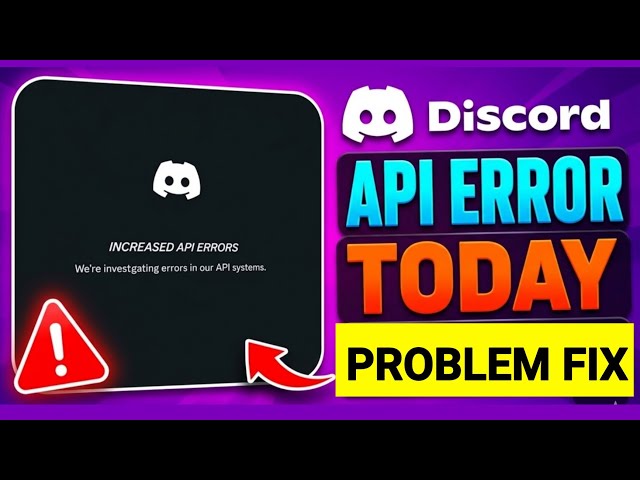
Discord has become an important communication platform for gamers, developers, content creators, and online communities. From sending instant messages and joining voice channels to managing servers and running automated bots, millions of users depend on Discord for their everyday activities. However, like any online service, Discord can experience technical problems that affect its performance. One such issue is the Discord Increased API Error, which can interrupt communication and prevent certain features from working properly.
When Discord experiences increased API errors, users may notice messages failing to send, channels taking longer to load, unexpected disconnections, or bots becoming unresponsive. These problems can be particularly frustrating for community administrators, developers, and users who rely on Discord for important conversations.
The Discord API allows applications and services to communicate with the platform. When requests fail, encounter restrictions, or experience delays, certain Discord features may become temporarily unavailable. The cause can range from server-side disruptions and API rate limits to unstable internet connections and incorrect application settings.
Understanding the Discord Increased API Error can help users identify what is happening and avoid unnecessary troubleshooting. In this article, we explore its meaning, common causes, noticeable symptoms, practical solutions, and ways developers can prevent similar problems.
What Is Discord Increased API Error?
The Discord Increased API Error is a term used to describe situations where Discord API requests experience elevated failures, interruptions, or other technical difficulties.
An API, or Application Programming Interface, is a system that allows different software applications to exchange information. Discord uses its API to support many functions, including messaging, server management, user interactions, bot commands, and application integrations.
For example, when a Discord bot sends a welcome message to a new member, it communicates with Discord through API requests. Similarly, when an application retrieves server information or updates a user’s role, it relies on the platform’s API.
If these requests cannot be processed successfully, users or developers may experience errors. Messages might not appear, automated commands may fail, or certain server features may stop responding.
However, an increased API error does not always mean that Discord is completely down. The problem may be limited to a particular API endpoint, application, bot, network, or service.
Why Is Discord Experiencing Increased API Errors?
Discord API errors can occur for several reasons. Identifying the underlying cause is essential because the right solution depends on the type of problem.
1. Discord Server Disruptions
One possible cause of increased API errors is a technical disruption within Discord’s infrastructure. The platform depends on multiple interconnected systems to process messages, manage accounts, support voice communication, and handle application requests.
If one of these systems experiences a problem, some Discord features may become slow or temporarily unavailable.
For example, users may be able to open Discord but find that messages are not loading, servers are responding slowly, or certain interactions are failing.
Server-side disruptions are generally outside an individual user’s control. When Discord’s infrastructure is responsible, users may need to wait until the affected services are restored.
2. Discord API Rate Limits
API rate limits control how frequently an application can send requests to a service. Discord uses rate limits to help prevent excessive traffic, reduce abuse, and maintain stable performance.
When an application or bot sends too many requests within a specific period, Discord may temporarily restrict additional requests. This commonly produces an HTTP 429 response, which indicates that the application has exceeded an applicable rate limit.
For example, a bot that sends a large number of messages within a short period may encounter a rate-limit restriction. If it continues sending requests without respecting the waiting period, its operations may be interrupted.
Rate limits are a normal part of API management and do not necessarily indicate a Discord outage. Developers need to handle these restrictions correctly to keep their applications running reliably.
3. High API Request Traffic
A sudden increase in API requests can also contribute to errors, particularly when an application is not designed to manage large volumes of activity.
This can happen when a Discord bot serves a large community, several automated tasks run simultaneously, or an application repeatedly retries unsuccessful requests.
For instance, a moderation bot may attempt to process hundreds of member-related operations at once. Without proper request management, it may encounter rate limits or other failures.
High request traffic does not automatically mean that Discord’s entire infrastructure is overloaded. Sometimes, the problem is limited to the individual application generating the requests.
4. Unstable Internet Connectivity
Not every Discord API error originates from Discord itself. An unstable internet connection can prevent the application from communicating properly with the platform.
Weak Wi-Fi signals, mobile data interruptions, network congestion, and temporary internet outages can all cause requests to fail.
Users may experience messages that remain stuck while sending, repeated reconnections, or difficulties joining voice channels.
VPNs, proxies, firewalls, and DNS configuration issues may also interfere with Discord’s connectivity. Testing the application on another reliable network can help determine whether the problem is related to the original connection.
5. Incorrect Bot Configuration
Discord bots require valid authentication credentials, appropriate permissions, and correctly structured API requests.
If a developer uses an invalid bot token, requests restricted information, or configures permissions incorrectly, Discord may reject the request.
Poor error handling can make the situation worse. For example, a bot that repeatedly retries failed requests without checking the response may generate unnecessary traffic and encounter additional restrictions.
Reviewing authentication credentials, permissions, and request configuration can help developers identify and resolve these issues.

Read Must:SpaceX Verizon Acquisition Speculation | What the Rumors Really Mean
Common Symptoms of Discord Increased API Error
The symptoms of increased API errors can vary depending on the affected service, application, or network.
Common signs include:
- Messages failing to send: Messages may remain pending or fail to appear in conversations.
- Servers loading slowly: Channels and server information may take longer than usual to display.
- Unresponsive Discord bots: Automated commands may fail or bots may stop responding.
- Connection interruptions: Discord may repeatedly disconnect or attempt to reconnect.
- Profile-loading issues: User information may not update correctly.
- Delayed notifications: Alerts and updates may arrive later than expected.
- Login difficulties: Authentication requests may fail in certain situations.
- Voice connection problems: Users may experience interruptions when joining voice channels.
These symptoms can help identify a possible technical problem, but they do not confirm that an API error is the cause. Similar issues may result from application bugs, unstable networks, or account restrictions.
How to Fix Discord Increased API Error
Resolving the Discord Increased API Error starts with identifying whether the issue is related to Discord’s servers, your internet connection, the application, or an individual bot.
1. Check Discord Server Status
Before changing any settings, determine whether Discord is experiencing a service disruption. When multiple features stop working simultaneously, the problem may be related to Discord’s infrastructure.
If a service disruption is confirmed, waiting for the affected systems to recover is usually the most practical approach. Reinstalling Discord or changing your device settings will not resolve a platform-wide outage.
2. Restart the Discord Application
Restarting Discord can help resolve temporary application glitches and connection problems.
- Completely close Discord on your device.
- Make sure it is no longer running in the background.
- Wait a few seconds before reopening it.
- Allow the application to reconnect.
- Check whether messages and channels are working correctly.
This method may resolve temporary local problems, although it will not fix an active server disruption or API rate limit.
3. Check Your Internet Connection
A stable internet connection is essential for Discord to communicate with its servers. If your connection is unstable, API requests may fail or take longer to complete.
Try opening other websites to check your internet connection. If necessary, restart your router, switch to another reliable network, or temporarily disable a VPN to identify possible connectivity issues.
If Discord works on another network, the problem may be related to your original connection or its configuration.
4. Update Discord to the Latest Version
An outdated application can sometimes contribute to compatibility and performance issues.
Check whether an update is available for your Discord desktop or mobile application. Install the latest available version, restart Discord, and test the features that were previously experiencing problems.
Updating may resolve certain software-related issues, but it cannot correct problems originating from Discord’s servers.
5. Wait for API Rate Limits to Reset
If a Discord bot or application receives an HTTP 429 error, it may have exceeded an applicable API rate limit.
Developers should check the retry information provided in the response and wait for the specified period before sending another request. Repeatedly sending requests while a rate limit is active can create further problems.
For ordinary users, waiting for a temporary restriction to expire may be sufficient.
6. Clear Discord Cache
Temporary application data can sometimes become outdated or corrupted, potentially affecting Discord’s loading performance.
Desktop users can clear the application’s cache using the appropriate procedure for their operating system. Close Discord completely before clearing temporary files, and avoid deleting important account information.
Once the cache has been cleared, reopen Discord and check whether the problem has been resolved.
7. Reinstall Discord
If the issue continues after trying other troubleshooting methods, reinstalling Discord may help resolve corrupted application files or installation problems.
Uninstall the application, install a fresh copy from its official distribution source, and sign in again.
Reinstallation is generally unnecessary when the problem is caused by a platform-wide disruption or an active API rate limit.
How Developers Can Prevent Discord API Errors
Discord bot developers can reduce avoidable API errors by managing requests efficiently and building reliable error-handling systems.
Implement Proper Rate-Limit Handling
Developers should monitor API response headers and respect the retry instructions provided by Discord.
Rate limits can vary between API endpoints, so applications should not rely on hardcoded assumptions. Dynamically handling rate-limit information can help prevent unnecessary request failures.
Use Exponential Backoff
Exponential backoff gradually increases the waiting time between retry attempts after temporary errors.
For example, an application might wait one second before the first retry, two seconds before the next, and four seconds before another attempt. Any specific retry interval returned by Discord should take priority.
This approach can reduce repeated requests and help applications recover more reliably.
Monitor API Responses
Monitoring HTTP status codes helps developers identify the source of API problems.
| Status Code | Meaning |
|---|---|
| 400 | Invalid request |
| 401 | Authentication failure |
| 403 | Insufficient permissions |
| 404 | Resource not found |
| 429 | Rate limit exceeded |
| 500 | Internal server error |
Developers should record relevant error details and timestamps to identify recurring problems. Bot tokens and other sensitive credentials should never be exposed in logs.
Reduce Unnecessary Requests
Repeatedly requesting unchanged information can increase API traffic without providing additional value.
Developers can improve efficiency by caching suitable data, avoiding duplicate operations, managing concurrent requests, and organizing tasks into controlled queues.
These practices can make Discord bots more reliable, particularly when they serve large communities.
Is Discord Increased API Error a Temporary Problem?
Discord Increased API Error can be temporary, but the recovery time depends on its cause.
A brief network interruption may disappear once the internet connection becomes stable. An API rate-limit restriction may expire after the specified waiting period, while a server-side disruption may require additional time to resolve.
There is no single recovery time that applies to every Discord API error.
If the issue affects only one bot or application, developers should investigate its configuration and error logs. If several Discord features are affected across different devices and networks, a wider service disruption may be involved.
Identifying the underlying problem is more useful than repeatedly trying the same troubleshooting steps.
Frequently Asked Questions
What does Discord Increased API Error mean?
Discord Increased API Error refers to a situation in which API requests experience elevated failures or technical difficulties. It may be related to server disruptions, rate limits, network connectivity, or application configuration.
Why is Discord API not working?
Discord’s API may not work correctly because of service disruptions, excessive requests, unstable internet connectivity, authentication failures, or insufficient permissions. The exact cause depends on the affected service and the error response.
How do I fix Discord Increased API Error?
Start by checking Discord’s service availability, restarting the application, and testing your internet connection. Updating Discord or clearing its cache may help with local issues. Developers should inspect API responses and respect rate-limit instructions.
Does Discord Increased API Error mean my account is banned?
No. An API error does not automatically mean that your account is banned. Network problems, rate limits, and service disruptions can all cause access issues. Check official account notifications if you suspect an account restriction.
What does Discord API error 429 mean?
HTTP 429 indicates that an applicable API rate limit has been exceeded. Developers should follow the retry instructions returned by Discord before sending additional requests.
Can Discord API errors affect bots?
Yes. API errors can prevent bots from processing commands, sending messages, or accessing server information. Developers can reduce these problems through proper rate-limit handling, valid authentication, and efficient request management.
How long does Discord Increased API Error last?
The duration varies depending on the underlying cause. Some connectivity and rate-limit problems resolve quickly, while larger service disruptions or application configuration issues may take longer to address.
Conclusion
Discord Increased API Error can affect messaging, server interactions, voice connectivity, and automated bot functionality. Although the issue may seem complicated, it is often associated with a few common causes, including server disruptions, API rate limits, unstable internet connections, and incorrect application settings.
Regular users can begin troubleshooting by checking service availability, restarting Discord, verifying their internet connection, and updating the application. Developers can improve reliability by monitoring API responses, respecting rate limits, reducing unnecessary requests, and implementing effective error-handling strategies.
The most important step is to identify the actual cause before attempting unnecessary fixes. Not every API error requires reinstalling Discord, and not every interruption means that the entire platform is unavailable.
By understanding how Discord’s API works and recognizing the common symptoms of increased errors, users and developers can resolve problems more effectively and maintain a smoother communication experience
Read More:GameStop Black Friday Deals 2026 | Best Gaming Offers to Expect