
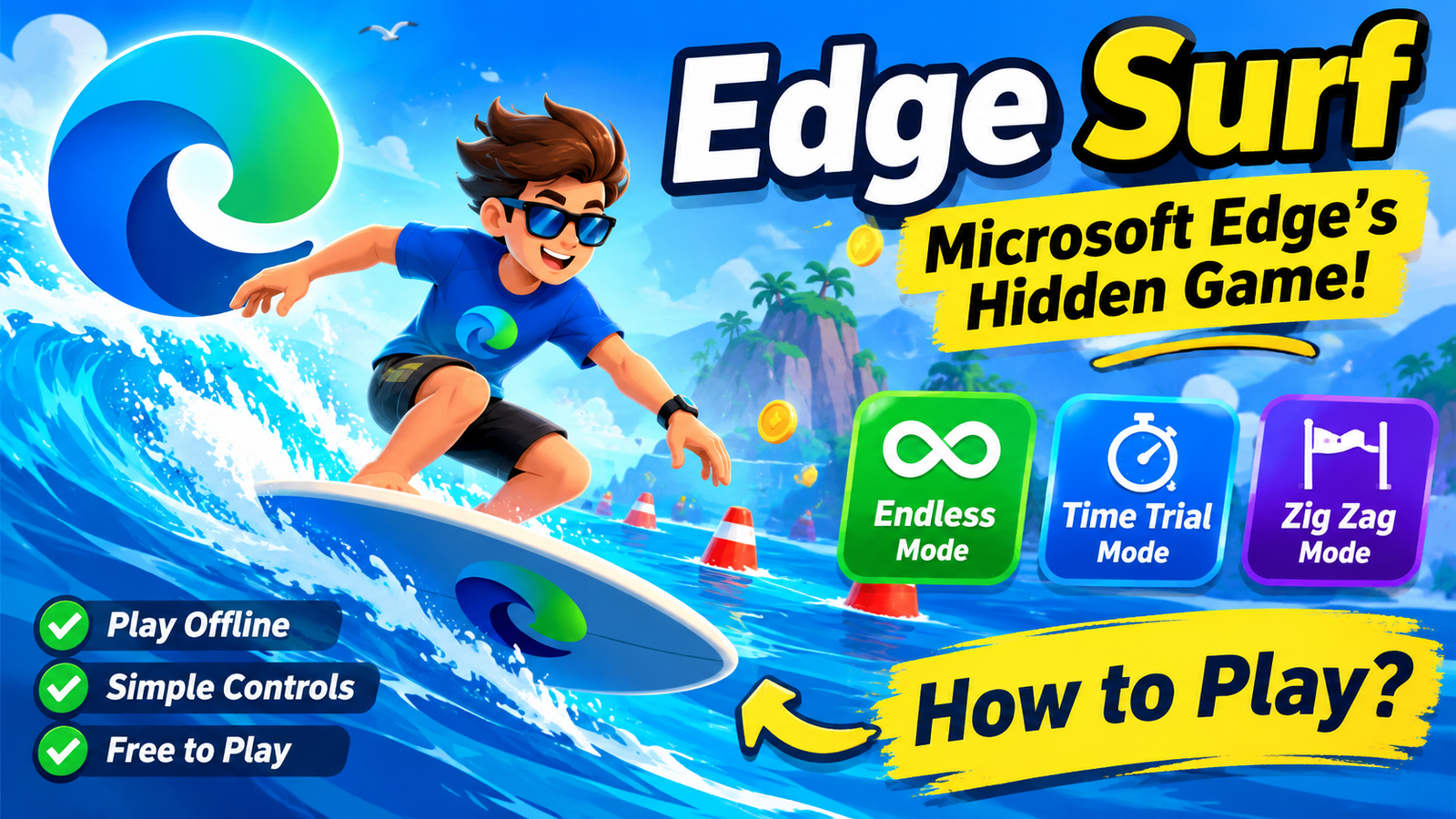
Edge Surf| Everything You Need to Know About Microsoft’s Surfing Game
Introduction
Web browsers have become an important part of everyday digital life. People use them to search for information, watch videos, work online, and explore different websites. However, modern browsers also offer features that go beyond traditional browsing. One interesting example is Edge Surf, a surfing-themed game built into Microsoft Edge.
Edge Surf provides a simple and entertaining gaming experience without requiring users to download a separate application. Players control a surfer, avoid obstacles, collect helpful items, and try to achieve better scores. Its straightforward gameplay makes it suitable for beginners, while its different game modes offer additional challenges for casual gaming enthusiasts.
One of the most attractive aspects of this game is its offline functionality. Users can enjoy Edge Surf even when their internet connection is unavailable. This makes it a convenient option during network interruptions or whenever someone wants a quick break from regular browsing activities.
Microsoft introduced this feature to make its browser more engaging and provide users with entertainment directly inside Edge. In this guide, we will explore what Edge Surf is, how it works, how to play it, its main features, and why it is an interesting part of the modern browser experience.
Read More: When Did Netflix Start Streaming | How a DVD Company Quietly Changed Television Forever
What Is Edge Surf?
Edge Surf is a free surfing game integrated into Microsoft’s Edge web browser. It allows players to control a surfer moving across the water while avoiding obstacles and completing different challenges.
The game uses an arcade-style design with simple controls and easy-to-understand objectives. Depending on the selected mode, players may need to travel as far as possible, finish a course quickly, or move through a series of gates without making mistakes.
Unlike traditional computer games, Edge Surf does not require a separate installation. Users can launch it directly through Microsoft Edge by entering a special browser address.
The game is also designed to work offline, which means users can enjoy it without continuously accessing the internet. This makes it different from many online browser games that depend on an active network connection.
For people who enjoy casual entertainment, Edge Surf offers an accessible gaming experience without requiring expensive hardware or additional software.

History of Microsoft Edge Surf
Microsoft introduced Edge Surf in 2020 as part of its effort to improve the overall browser experience. The game became available in the stable version of Microsoft Edge in May 2020.
Its concept was inspired by classic arcade-style games, particularly the older SkiFree experience. Instead of controlling a skier moving down a snowy mountain, players control a surfer navigating through water.
The game was developed to provide entertainment when users could not access websites because of internet connectivity problems. Microsoft also wanted to introduce a feature that would make its browser more enjoyable for everyday users.
Over time, Edge Surf became one of the browser’s recognizable hidden features. It demonstrates how software developers can add small entertainment experiences to applications that people primarily use for other purposes.
Read More: Game Tech Befitnatic | Exploring Gaming Technology, Trends, and Innovation
How to Open Edge Surf
Accessing Edge Surf is easy because the game is already integrated into Microsoft Edge. Users do not need to visit a third-party gaming website or download another application.
Follow these steps:
- Open Microsoft Edge on your computer.
- Click the address bar.
- Type
edge://surf. - Press Enter.
- Wait for the game to load.
- Select your preferred game mode.
- Start playing using the available controls.
The game opens directly inside the browser. You can launch it while connected to the internet or when using an offline connection.
If the command does not work, make sure that Microsoft Edge is installed and updated. Some features may vary depending on the browser version and device.
Different Game Modes in Edge Surf
Edge Surf includes three main game modes. Each mode offers a different objective, giving players more variety than a basic browser game.
Endless Mode
Endless Mode focuses on survival and distance. Players must control their surfer and travel as far as possible without hitting obstacles.
The challenge becomes more demanding as players continue through the course. They need to pay attention to their surroundings, react quickly, and avoid unnecessary collisions.
The main objective is to achieve the highest possible distance. This mode is especially suitable for beginners because it helps them understand the basic controls and gameplay.
Time Trial Mode
Time Trial Mode is designed for players who enjoy speed-based challenges.
Instead of travelling endlessly, players must complete a course within the shortest possible time. Good timing and efficient movement are important for achieving a better result.
Players can improve their performance by learning the route and practicing how to avoid unnecessary delays.
This mode offers a different experience from Endless Mode because the main focus is completing the course quickly rather than simply surviving.
Zig Zag Mode
Zig Zag Mode tests concentration and movement accuracy.
Players must pass through gates placed along the course. Successfully navigating these gates helps maintain progress, while missing them can interrupt a player’s streak.
This mode requires more precise movement and careful attention. It is a good option for players who enjoy challenges involving coordination and timing.
Important Features of Edge Surf
Although Edge Surf is a lightweight browser game, it offers several features that make it enjoyable.
Simple Gameplay
The game uses straightforward controls that are easy for beginners to understand. Players can quickly learn how to move their surfer and avoid obstacles.
Multiple Control Options
Depending on the device, users can play using a keyboard, mouse, touchscreen, or compatible gaming controller. This flexibility makes the experience convenient across supported devices.
High Visibility Mode
High Visibility Mode helps make important visual elements and collision areas easier to recognize. It can help players understand obstacles more clearly during gameplay.
Reduced Speed Mode
Reduced Speed Mode offers a slower experience for people who want more time to react. Beginners may find this option useful when learning the controls.
Offline Functionality
One of the most recognizable features is the ability to play without an active internet connection. Users can access the game even when regular websites are unavailable.
Read More: Hippocratic AI| How Artificial Intelligence Is Transforming Healthcare

Can You Play Edge Surf Without the Internet?
Yes, Edge Surf is designed to work offline. This feature makes it a useful entertainment option when users experience temporary internet problems.
Microsoft included the game so that people could enjoy something inside the browser even when they could not access websites.
Users can also launch it manually by typing edge://surf into the address bar.
Offline access is particularly helpful when travelling, using an unreliable connection, or taking a break from online activities.
However, Microsoft Edge must already be installed and functioning properly. The game is a browser feature, not a separate application that operates independently.
Is Edge Surf Available on Mobile Devices?
Edge Surf is available on supported mobile versions of Microsoft Edge. This allows users to enjoy the game on compatible smartphones and tablets.
The mobile experience uses touchscreen interaction, allowing players to control the surfer directly through the screen.
To try the game, open Microsoft Edge on your mobile device and look for the Surf feature. Availability can depend on the device, operating system, and browser version.
Mobile access makes the game convenient for people who want a quick entertainment experience without installing another gaming application.
Edge Surf vs. Google Chrome Dinosaur Game
Google Chrome also includes a built-in game called the Dinosaur Game. It appears when users experience an internet connection problem and provides a simple running challenge.
Both games offer entertainment directly inside their respective browsers, but their gameplay styles are different.
| Feature | Edge Surf | Chrome Dinosaur Game |
|---|---|---|
| Browser | Microsoft Edge | Google Chrome |
| Main character | Surfer | Dinosaur |
| Gameplay | Surfing and avoiding obstacles | Running and jumping |
| Game modes | Endless, Time Trial, Zig Zag | Standard running mode |
| Offline availability | Yes | Yes |
| Separate download | Not required | Not required |
Edge Surf provides a surfing environment with different modes, while the Chrome Dinosaur Game focuses on running and jumping.
Both are useful examples of how browser developers can make everyday software more entertaining.
Is Microsoft Edge Surf Free?
Yes, Edge Surf is free to play through Microsoft Edge. Users do not need to purchase a separate gaming application or pay for a subscription.
Because the game is integrated into the browser, it does not require an additional installation process.
This makes it accessible to people who already use Microsoft Edge for browsing, studying, or everyday online activities.
For security, it is best to access the game through the official Microsoft Edge browser instead of downloading unofficial versions from unfamiliar websites.
Tips for Improving Your Edge Surf Experience
Learning the game is simple, but improving your performance requires practice. A few useful habits can help beginners become more comfortable.
Understand the Controls
Spend some time learning how your chosen control method works. Understanding movement before attempting difficult challenges can help prevent mistakes.
Watch the Route Ahead
Pay attention to obstacles before reaching them. Reacting early gives you more time to adjust your movement.
Practice Every Game Mode
Endless, Time Trial, and Zig Zag each require different approaches. Trying all three modes can help you discover which experience you enjoy most.
Explore the Available Settings
Try High Visibility Mode and Reduced Speed Mode if you need a more comfortable gameplay experience.
Be Consistent
Practice regularly and focus on improving your previous performance. Understanding the game gradually is more useful than trying to achieve a high score immediately.

Why Is Edge Surf Interesting for Technology Users?
Edge Surf is a good example of how technology companies add extra features to everyday software.
Modern browsers are no longer limited to displaying websites. They also include productivity tools, privacy controls, synchronization features, and entertainment options.
Microsoft Edge Surf adds a small gaming experience to this environment. It gives users something to enjoy when their internet connection is unavailable and makes the browser more engaging.
Although it cannot replace advanced PC or console games, it offers a convenient option for casual entertainment.
For technology enthusiasts, it is also an interesting feature to explore because it demonstrates how developers can combine practical software with simple interactive experiences.
(FAQs)
What is Edge Surf?
Edge Surf is a surfing-themed game built into Microsoft Edge. Players control a surfer, avoid obstacles, and complete different challenges.
How do I open Edge Surf?
Type edge://surf into the Microsoft Edge address bar and press Enter to launch the game.
Can Edge Surf work offline?
Yes. The game is designed to work without an active internet connection, provided the browser is installed and functioning correctly.
Is Edge Surf free to play?
Yes. It is a free feature included in Microsoft Edge and does not require a separate subscription.
What are the main game modes?
The main modes are Endless, Time Trial, and Zig Zag. Each mode offers a different type of challenge.
Can I play Edge Surf on my phone?
The game is available on supported mobile versions of Microsoft Edge. Availability may vary depending on your device and browser version.
Is Edge Surf similar to the Chrome Dinosaur Game?
Both games offer built-in browser entertainment, but Edge Surf focuses on surfing while Chrome’s Dinosaur Game focuses on running and jumping.
Key Takeaways
- Edge Surf is a free surfing-themed game included in Microsoft Edge.
- Users can open it by entering
edge://surf. - The game became available in the stable browser in May 2020.
- It includes Endless, Time Trial, and Zig Zag modes.
- It offers different control options on supported devices.
- Users can enjoy it without an active internet connection.
- It provides casual entertainment without requiring a separate download.
Conclusion
Edge Surf is an interesting addition to Microsoft Edge that gives users more than a traditional browsing experience. Its simple gameplay, multiple modes, flexible controls, and offline functionality make it a convenient option for casual gaming enthusiasts.
Whether you want to enjoy a quick break, explore a hidden browser feature, or play something while waiting for your internet connection to return, Edge Surf offers an easy solution. You do not need to purchase a separate game or install additional software.
Simply open Microsoft Edge, enter edge://surf, and explore the surfing experience. For technology users, it is a small but useful example of how modern browsers continue to introduce creative features into everyday digital life.Edge Surf: Everything You Need to Know About Microsoft’s Surfing Game.
Must Read: Seeking Alpha Deal | How to Find the Best Subscription Offers in 2026





2 Comments